Media
TODO: Update
Content
This partial lets you add images to the content module. Accepted file formats are .jpg and .png.
Maximum file size is 500 kB
The image you see in the frontend is a .webp converted version of your uploaded .jpg or .png
Any Images partial provides:
- an image-select
- a free text field for the image title
- a free text field for the alt text (mandantory)
Image select
Select the image you want to show up at the frontend.
Allowed fileformats are: .png & .jpg
These images get converted into a lossy .webp format.
Image alt text
The alt text is mandantory for every Image.
This text will be displayed when the image could not be loaded/displayed for any reason.
Its also a useful SEO tag.
Example of a broken image:
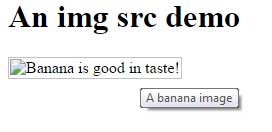
Image title
The title text field is optional.
The text of the title attribute is displayed as a tooltip, it appears in a small bubble when the cursor hovers over the image and provides additional context.
Found a missing/undocumented part or have any suggestions/improvements to make? Please report it to: hewlik@conenergy.com
Fehler gefunden? Möchten Sie diese Seite verbessern? Wenden Sie sich an agentur-internet@conenergy.com